
This one started with a frustrated firmware engineer.
He was trying to program a new device's entire interface: one button, one multicolor LED. And he couldn't get a clear spec for what it should do. The hardware wasn't finished either — so even if he built it, there was nothing to test it on.
One button and one light sounds simple. It isn't. That little LED had to communicate power, battery, pairing, connection, charging, errors, resets — a full conversation, in blinks and colors, through a single point of light.
The weakest link
Connected hardware is only as strong as its weakest link. If people can't tell whether the device is on, connected, or asking to be paired, that confusion doesn't stay on the hardware — it bleeds straight into the app experience and every support ticket after it.
So while this wasn't an app prototype, it was absolutely a user-experience prototype. Get the light's language right, and everything downstream gets easier.
A simulator instead of a spec
Working side by side with the firmware engineer, I built a simulator in Lovable — codename Squirtle, abstracted so it could stand in for any single-button device. It runs in a browser, which means it runs on an iPad, which means you can carry it around and hand people the "hardware" months before the hardware exists.
And because you only get to name an internal tool once: it wears an Apollo-era mission control aesthetic. Astronauts drilled in simulators long before the real cockpit was ready. Same idea here, smaller stakes.
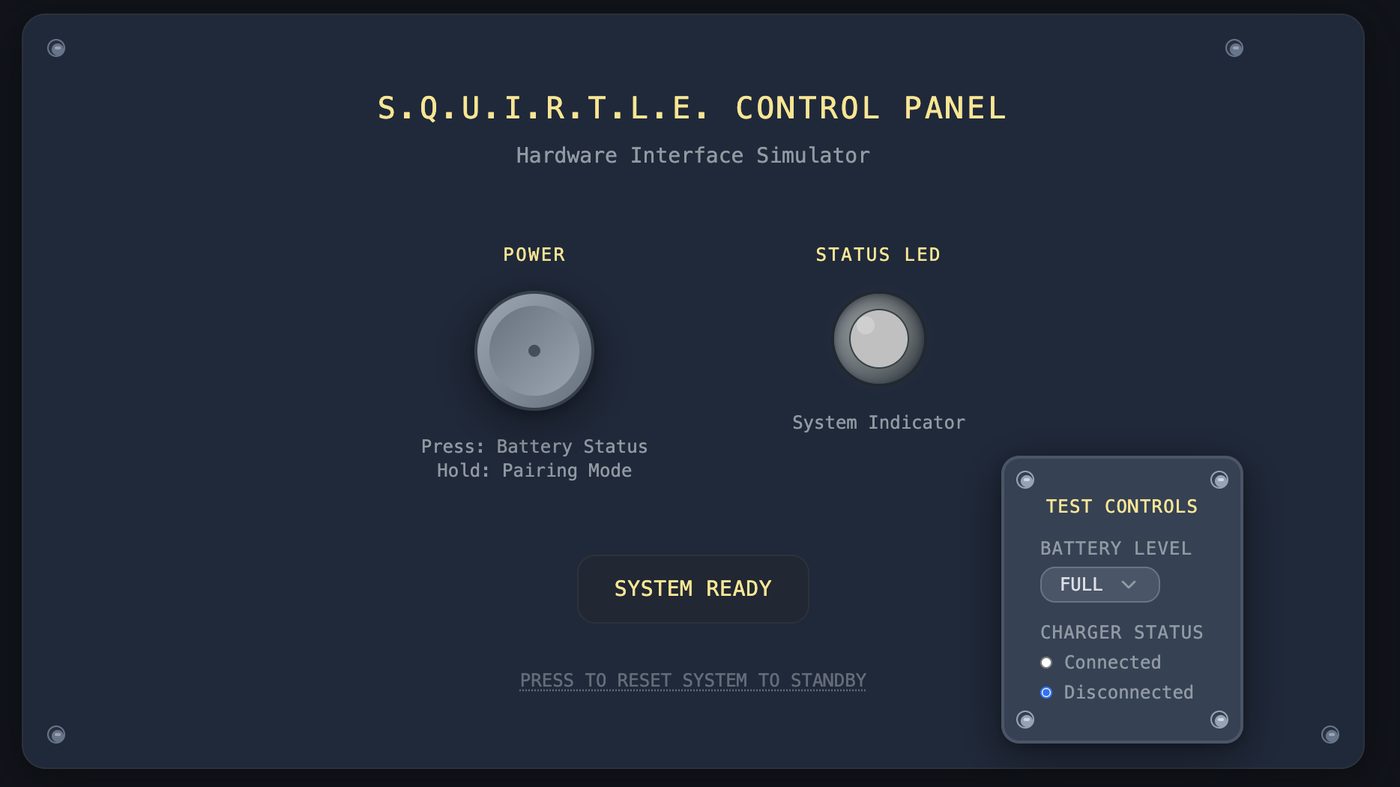
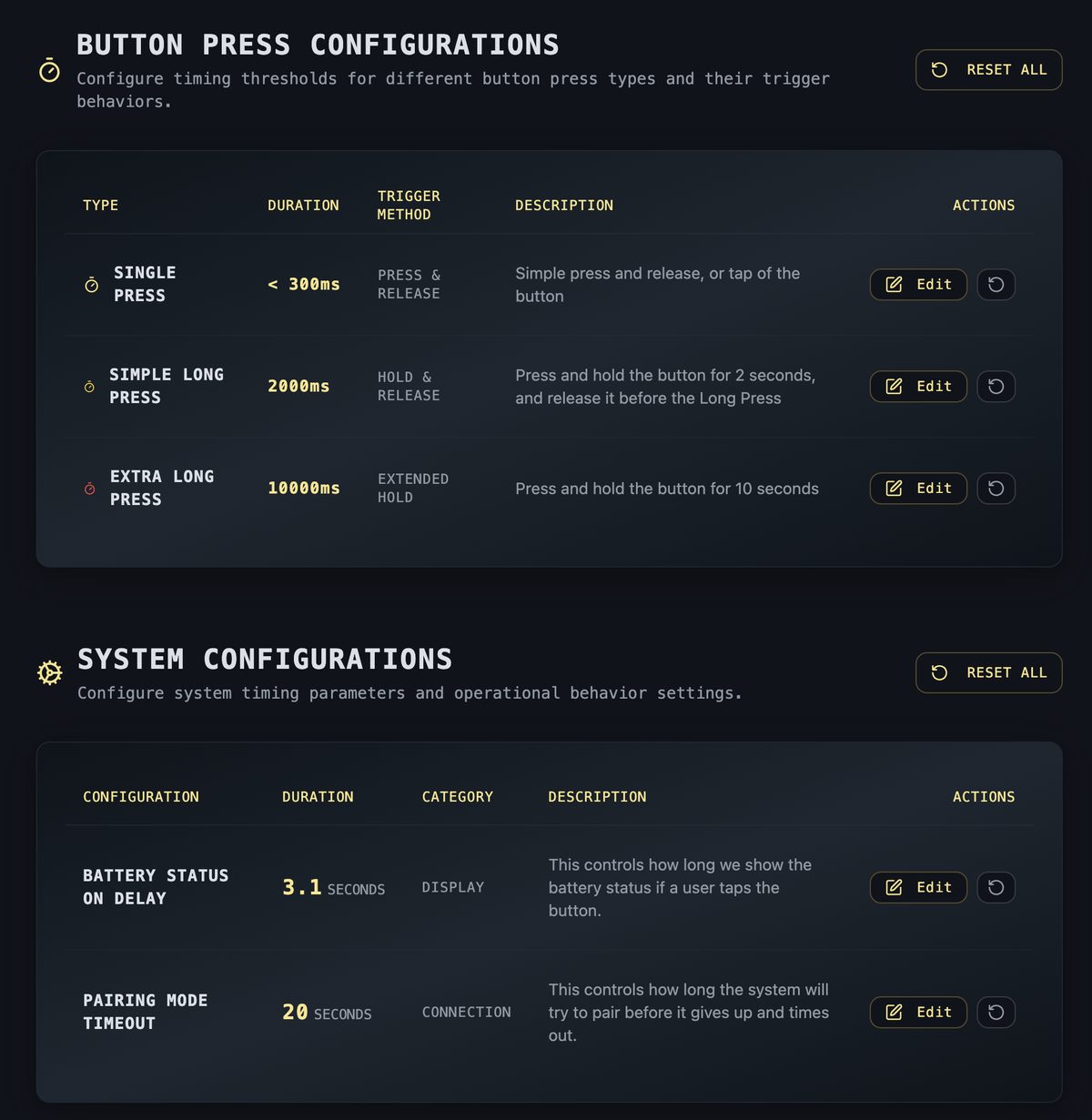
Every press, hold, and state change drives the LED exactly as the firmware would — and a tuning panel let us adjust colors, blink patterns, and timing live, mid-conversation with a tester.
The checklist
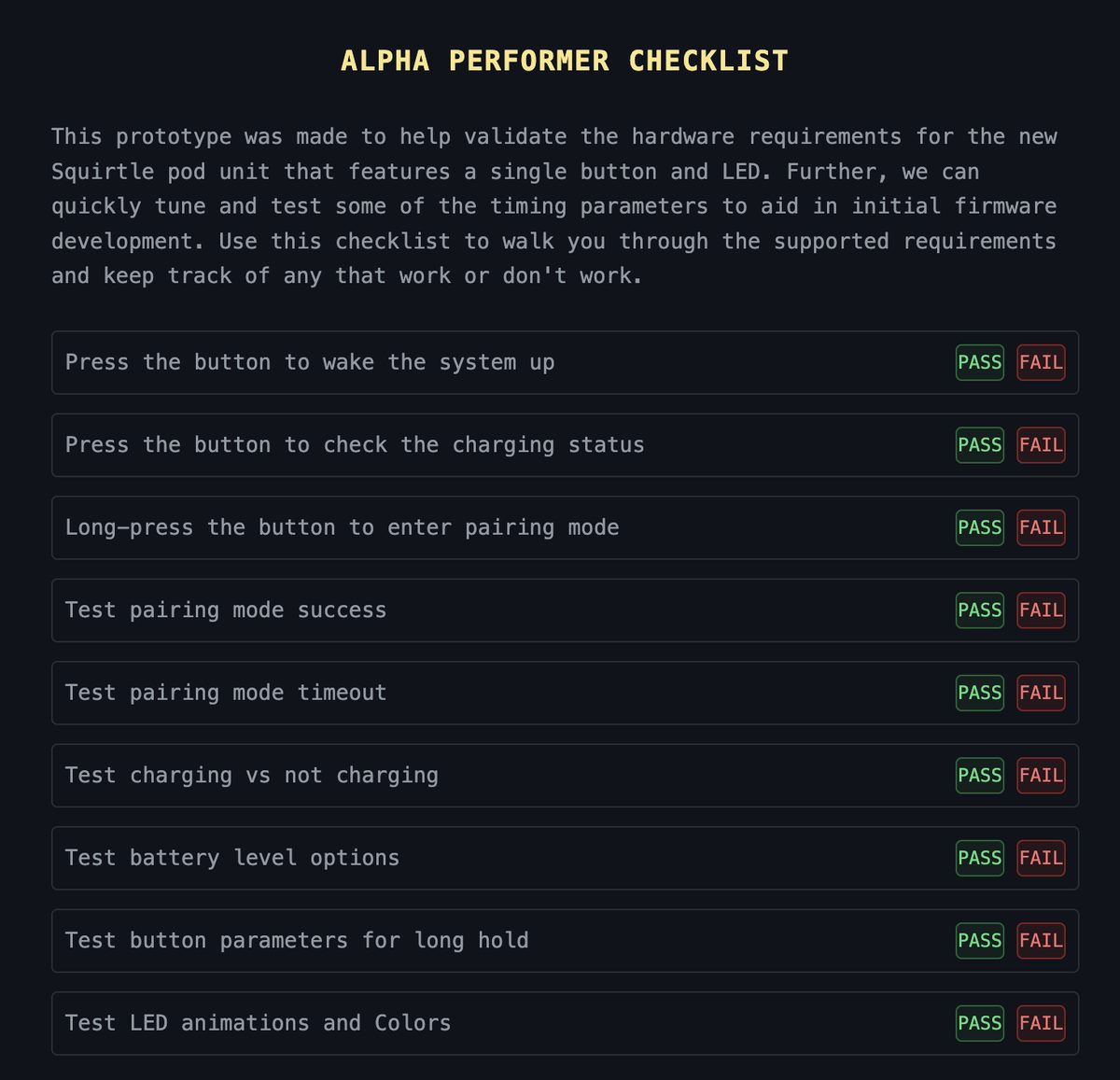
Here's the thing about a one-light interface: nobody — testers included — naturally thinks of everything a single light has to say. So the prototype carries its own testing checklist, and every walk-around session worked through it state by state: does this blink read as pairing? Does this color read as low battery? What do you think just happened?
What it saved, what it caught
The firmware engineer got to tune the lowest-level details — colors, timing, sequences — without writing and rewriting firmware for every iteration. We walked the iPad around, adjusted live, and he built the real thing once, with confidence. That's a lot of development cycles that never had to happen.
Testing also caught things no one had specced. The best one: an extra-long press for a complete hardware reset — a case that surfaced in conversation and went straight into the plan.
And sure, a screen can't test everything. Real LED brightness in sunlight, in-hand feel — that waits for hardware. But the language of the light was settled before the first board came back.
The point
Prototypes aren't just for digital products. This one was for a physical device, built as an internal tool, tested in hallways.
The secret is always the same: ask a question quickly, get confidence quickly, get clarity quickly. Sometimes that looks like a consumer app. Sometimes it looks like a fake control panel on an iPad, doing the job of a spec document — better than the spec document ever could.